
Create the template
Build and validate one representative routine in Studio 5000 using the tags, instructions, AOIs, and descriptions your project requires.
Allen-Bradley Studio 5000 workflow automation
Turn a proven Allen-Bradley ladder or function block routine into a reusable template. Create instances, map tags, edit AOI values, collaborate through Excel, and generate import-ready L5X files.
How it works
Corevanta builds from your own Studio 5000 routine, so the generated instances keep the structure and standards your team has already established.
Build and validate one representative routine in Studio 5000 using the tags, instructions, AOIs, and descriptions your project requires.
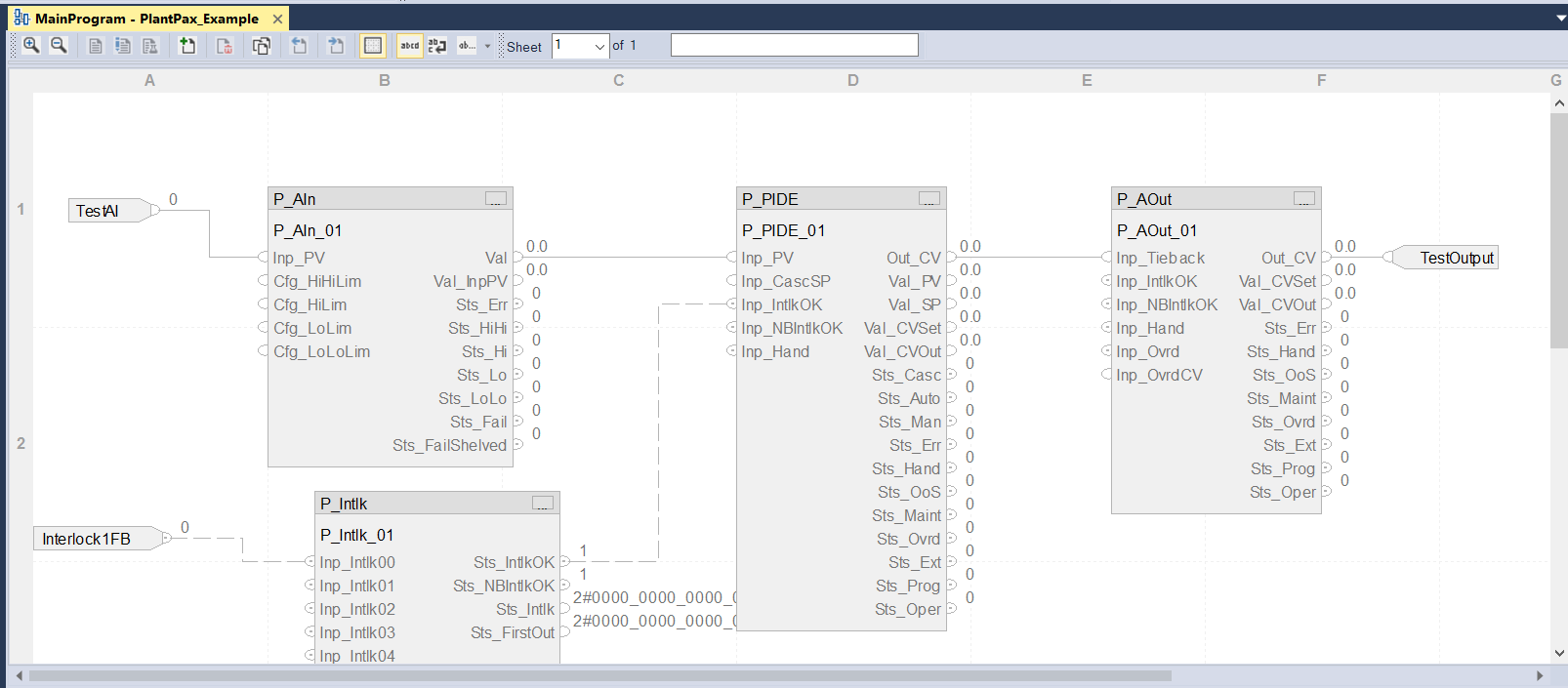
Export the ladder or function block routine as an L5X file. Corevanta analyzes its logic, tag references, and configurable values.
Create the required routines, remap I/O and existing tags, include optional logic, and edit parameters directly or through Excel.
Generate the new L5X package and import it into Studio 5000 for review, validation, and commissioning.
Reusable project data
Built for real Logix projects
Use the same workflow for straightforward motor routines, multi-rung templates, function block sheets, and parameter-heavy AOI applications.
Generate separate routines or organize repeated instances together. Preserve routine logic while changing the project-specific operands around it.
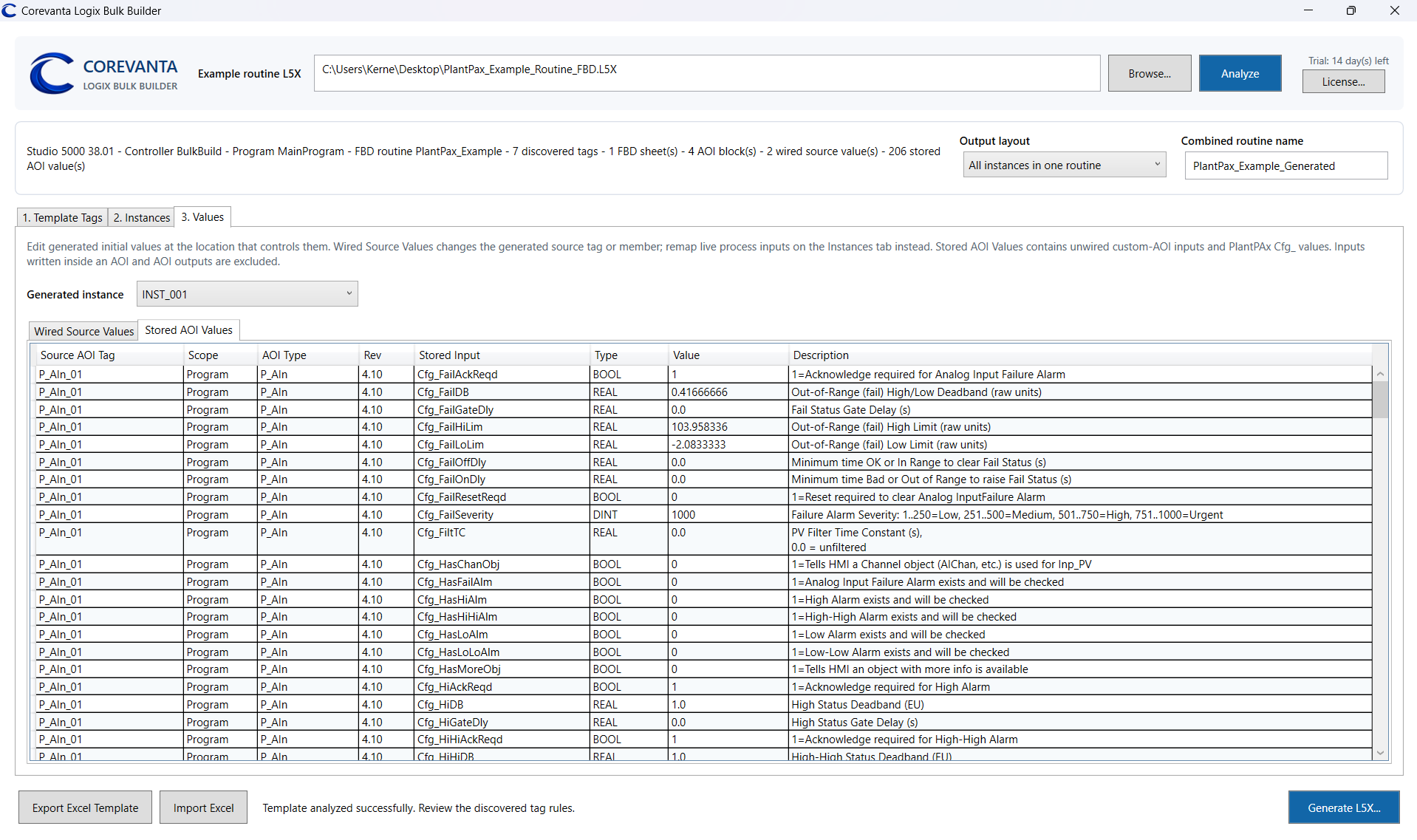
Review and edit stored PlantPAx Cfg_ values alongside wired source mappings, including ranges, alarm behavior, timing, and other instance configuration.
Corevanta discovers custom AOI blocks and exposes writable, unwired input values for each generated instance while leaving outputs and internally written values protected.
Include or exclude optional contacts and generated tags for instance-specific permissives, interlocks, and other variations without rebuilding the routine.
Control generated routine names, tag names, scopes, data types, operands, and descriptions before the L5X ever reaches the controller project.
A better handoff than copy-and-paste
Export the analyzed template to Excel, divide configuration work by area or equipment group, then bring the completed data back into one generation process.
Try it on your own routine
Analyze a real routine and validate the generated result in your Studio 5000 environment.
14-day trial
For controls engineers testing Bulk Builder with their own L5X routines.
Commercial license
$995 USD
One-time purchase · Perpetual license · One computer
Machine-bound commercial licensing with secure Stripe checkout and in-app activation. No subscription.
Need team or site licensing? Contact sales.
Practical details
No. It works with exported L5X routines and generates L5X output for you to import and review in Studio 5000.
Yes. It can expose stored PlantPAx configuration values and writable, unwired custom AOI inputs. The required AOI definitions must already exist in the destination project.
Yes. The Excel workflow makes the generated instances, mappings, descriptions, and configurable values easier to divide, review, and consolidate.
No. The $995 USD commercial license is a one-time purchase for perpetual use on one computer. Contact sales for team or site licensing.
You can still open the application and analyze templates, but Excel import/export and L5X generation require an active commercial license.
Your next repeated routine